

With the Exchange Rates post type, you can display selected exchange rates on your digital signage and track how they change over time. Choose a base currency, the currencies you want to compare it with, and how you’d like the rates to be displayed.
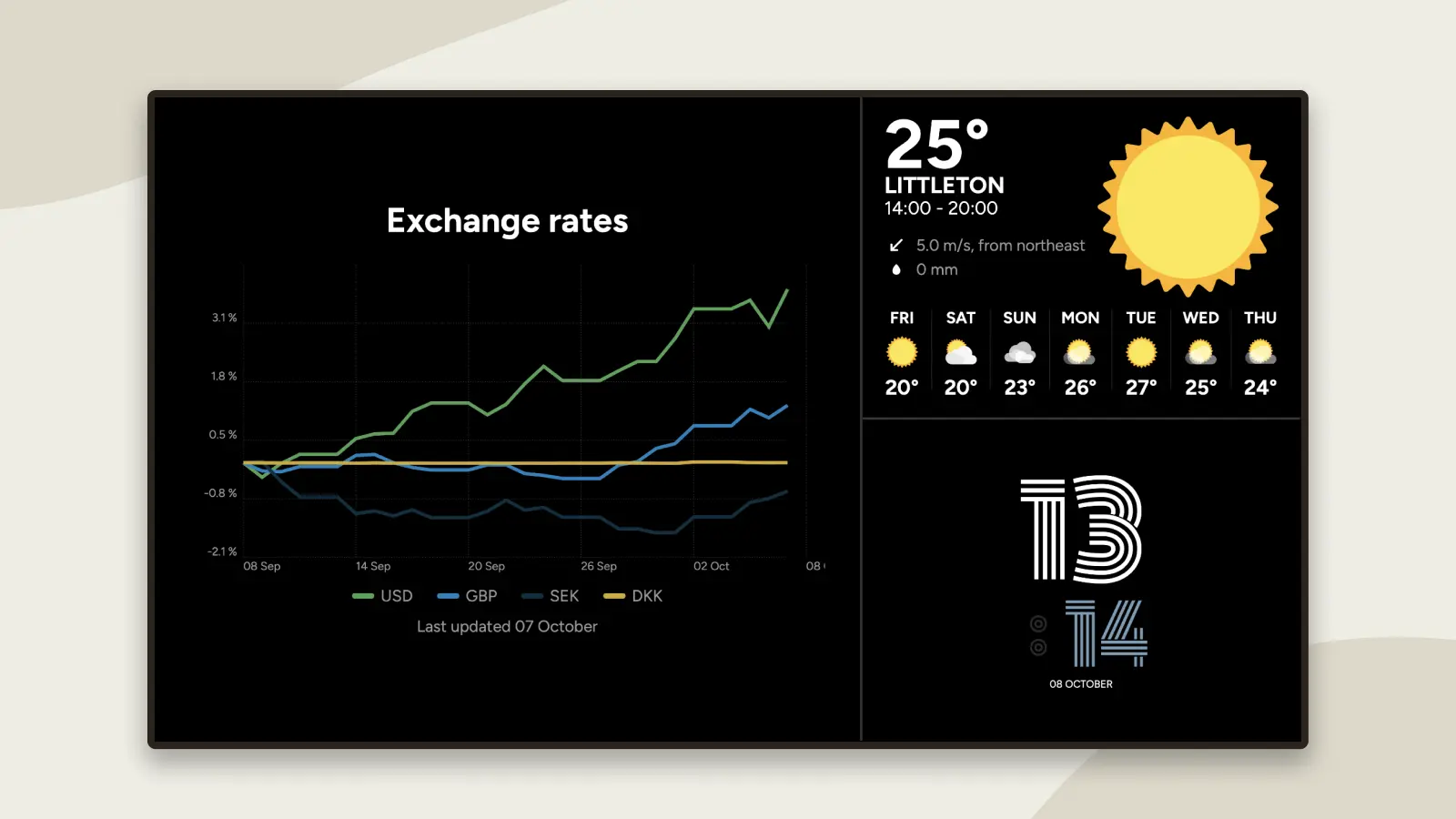
Exchange Rates on Your Digital Signage
Are exchange rates something you keep an eye on at work? Or are you simply curious about how much your next trip abroad might cost? Either way, you can stay up to date right on your digital signage.
With Exchange Rates, you can choose a base currency and compare it with a selection of other currencies. Alongside the current exchange rates, you can also see how they’ve changed over a selected period.
Choose Which Currencies to Follow
When creating the post, you start by choosing a base currency. Then you select the currencies you want to compare it with.
For example, you could use euros as your base currency and display exchange rates against British pounds, US dollars and many other currencies.
Alongside the current rates, you can also show how they’ve changed over a selected period. That way, you get more than just the latest figures – you can see at a glance which way the rates have been moving.
Display Exchange Rates as a List, Graph or Cards
You can choose between three different ways to display exchange rates:
- The list view gives you a simple, clear overview of your selected exchange rates.
- The graph view shows how exchange rates have changed over time. You can choose which period the graph covers.
- Cards combine the current exchange rate with a graph showing how it has changed over the selected period.
Choose the view that best suits what you want to keep track of – and let PinToMind keep the exchange rates up to date for you.

Want to Give It a Try?
You’ll find Exchange Rates in the post menu. Give it a try and see which view works best on your screens.
Not using PinToMind yet? Start a free trial and explore Exchange Rates – along with everything else PinToMind has to offer – free for 30 days, with no obligation.







 Show details

 Back to top