

With the Poll post type, you can ask questions on your digital signage and let your audience vote in the PinToMind Go app. Use it to gather feedback, involve people in decisions – or simply bring a little more engagement to everyday life.
What can you use polls for?
The possibilities are almost endless! Gather feedback from colleagues, find out what customers think of your services, or let your audience help decide what to include in your next event.
And it doesn’t always have to be serious. Why not let people vote for their favourite activity, predict the result of an upcoming sports match, or settle a friendly debate once and for all?
Polls give your audience something to get involved in and can encourage them to pay more attention to your screens – including the other content you share.
How it works
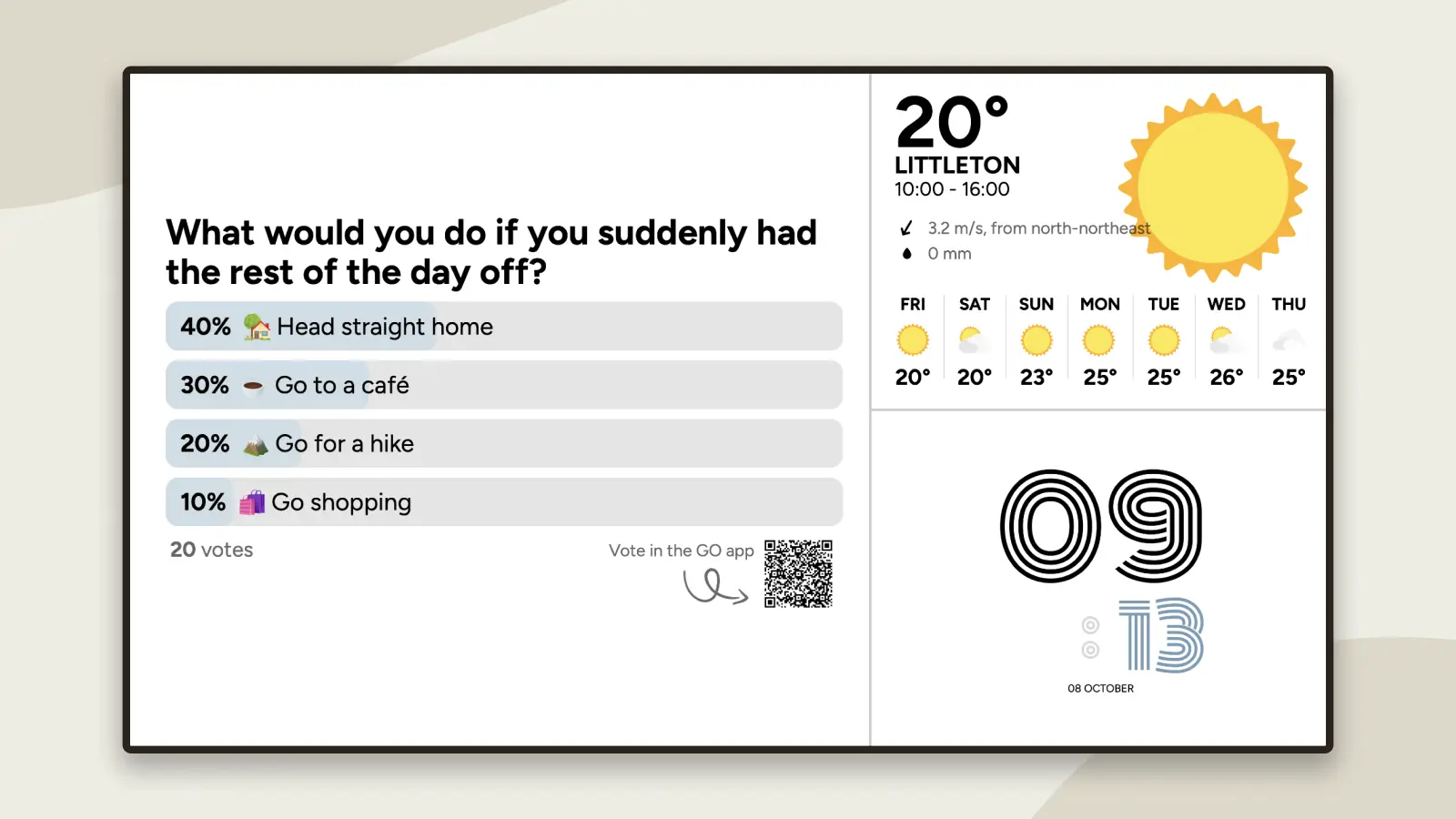
You’ll find Poll in the post menu. When creating a poll, you write your own question and answer options.
The poll is displayed on your digital signage, while voting takes place in the PinToMind Go app.
To use Poll, you need to share at least one channel with PinToMind Go.
The poll displayed on your screen includes a QR code that your audience can scan to open the channel and cast their vote.
Haven’t tried PinToMind Go yet? This could be the perfect opportunity to get started!
Learn more about PinToMind Go.
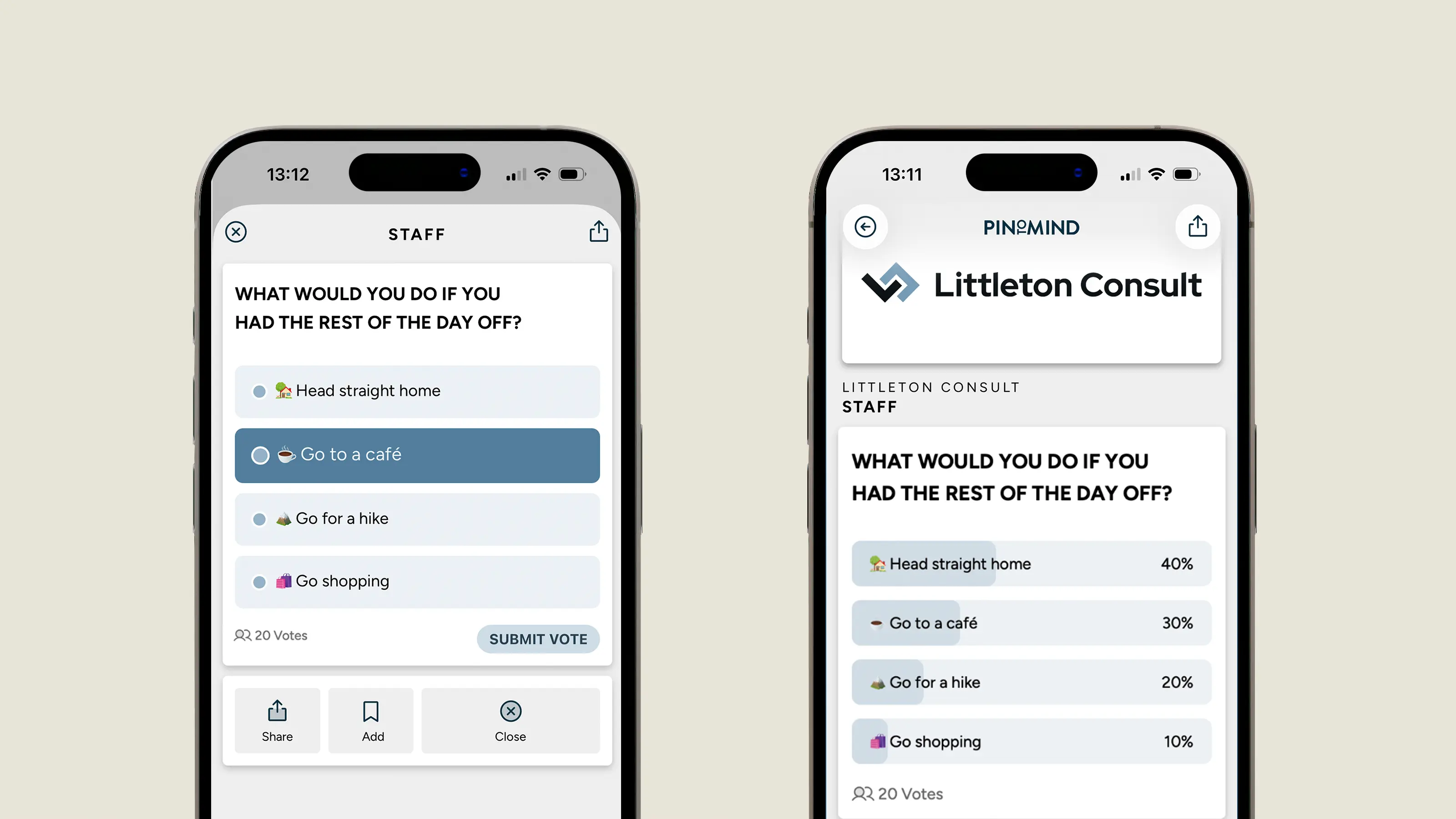
You can only vote once from the same mobile device, but you can change your vote later. Votes are anonymous and cannot be traced back to individual voters.
Choose when to show the results
Poll results are displayed both on your digital signage and in PinToMind Go.
Sometimes, watching the results come in is half the fun. Other times, you might prefer to avoid early votes influencing the rest.
That’s why you can choose to hide the results until a specific time. You can also set a voting deadline if you only want the poll to be open for a limited period.
In PinToMind Go, you can also choose to include an image in your poll.
A tip for boosting engagement
Try using Poll alongside other posts when there’s something you’d like to draw a little extra attention to.
For example, if you have an upcoming event, you could share information about it first, then follow up with a related question.
Or perhaps you’re focusing on a particular topic at work or school? A poll can invite your audience to take part, rather than simply receive information.
And sometimes, it’s just nice to ask a question instead of always being the one sharing information. I’d encourage you to give Poll a try if you haven’t already!
Not using PinToMind yet? Start a free trial and explore Poll – along with everything else PinToMind has to offer – free for 30 days, with no obligation.







 Show details

 Back to top